
Analytics
See how many website chats, calls and booked appointments your AI receptionist handled over any date range, and download the chart.
What this does
The Analytics panel in Small Business Chatbot counts website chats, phone calls and the appointments booked in a chat, over a date range you choose. A chart shows the running totals day by day, and three numbers give the totals for the range. To see the same activity in your own Google Analytics, use the Google Analytics integration.
Read the dashboard
- Open the panel
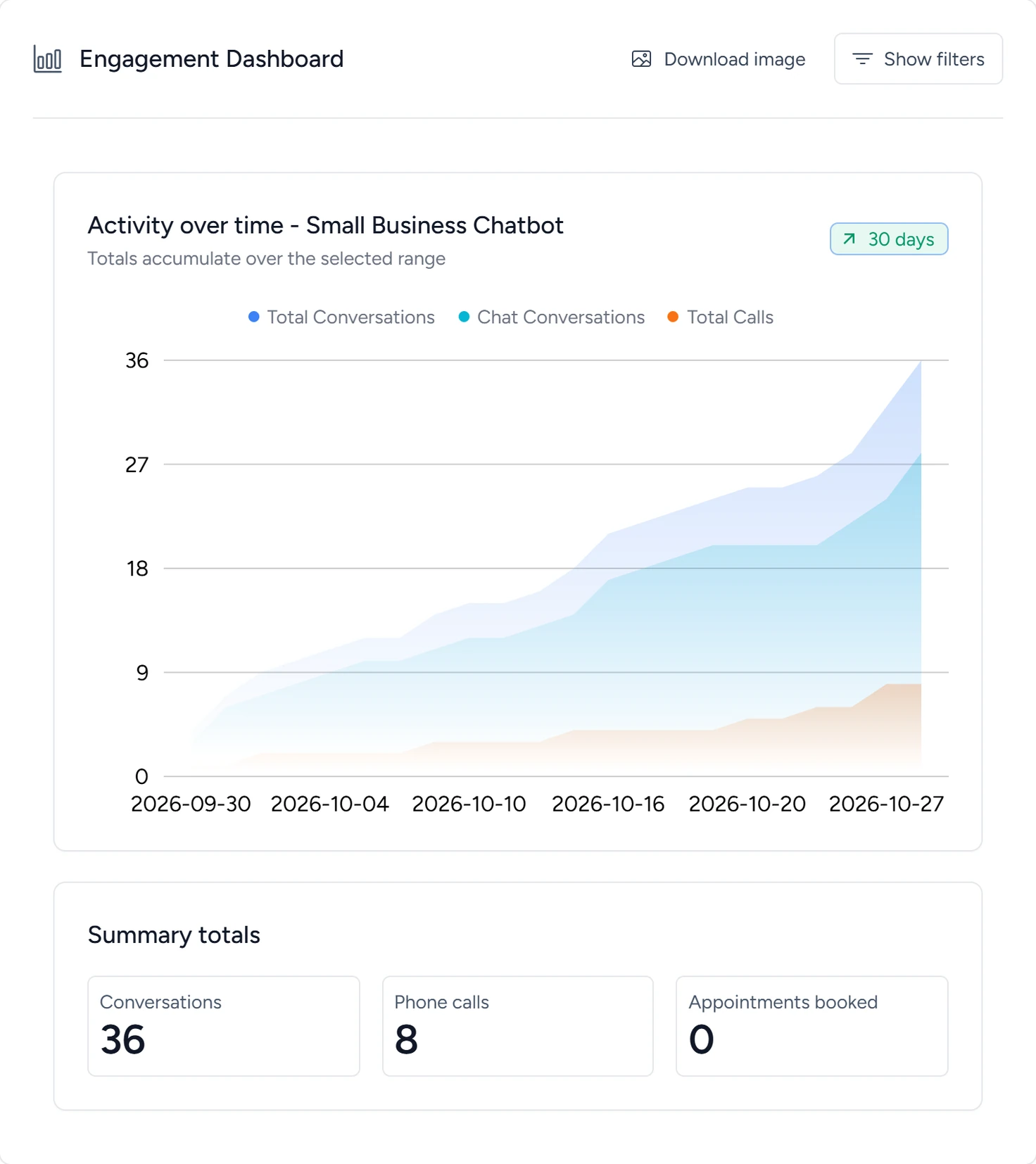
In the app, open Analytics. The panel is titled Engagement Dashboard and opens on the last 30 days.
Analytics, October 2026 - Read the totals
Under Summary totals, Conversations, Phone calls and Appointments booked count everything in the range.
- Read the chart
Activity over time shows running totals, so each line climbs through the range. Hover over a day to see its numbers. The badge at the top right shows how many days the range covers.
- Change the range
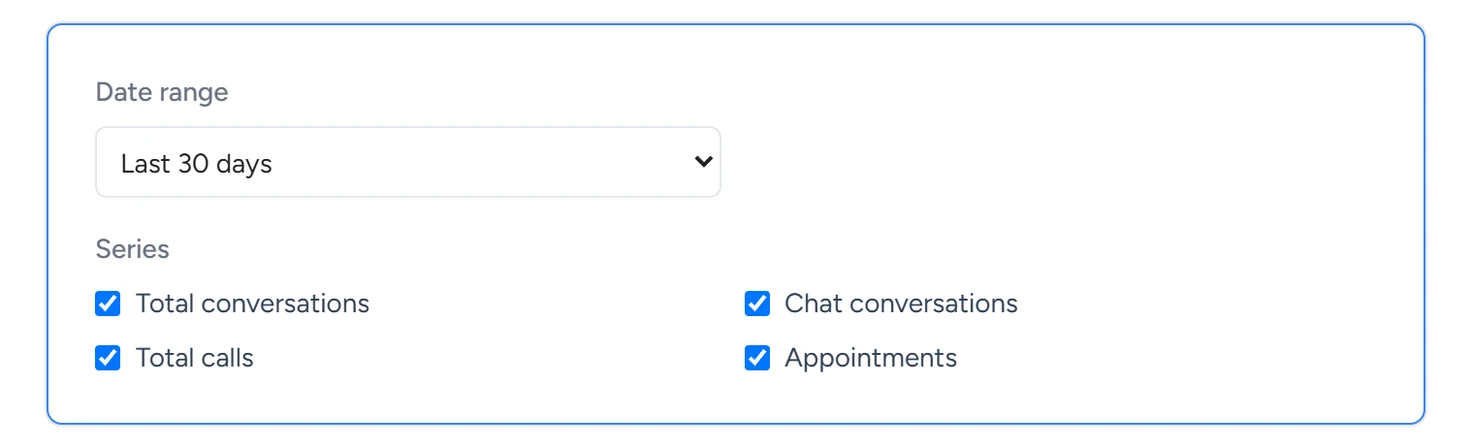
Click Show filters. Pick a Date range. For your own dates, pick Custom range and set the first and last day. The chart and totals reload.
Analytics, October 2026 - Download the chart
Click Download image. The browser saves the chart and the totals as one picture named dashboard.png.
What each number counts
| Name in the panel | What it counts |
|---|---|
| Conversations, and the Total Conversations line | Website chats plus phone calls. |
| Chat Conversations line | Conversations in the chat widget on your website. |
| Phone calls, and the Total Calls line | Calls the AI receptionist answered, and AI calls from workflows that a person picked up. A call counts once it has two or more messages. |
| Appointments booked, and the Appointments line | Bookings made in a chat through your connected calendar. A reschedule made in a chat also counts. |
Text conversations, email replies and embedded chats are in the Conversations list. To see where visitors came from, send the activity to Google Analytics.
Settings
These are under Show filters. The panel opens with the defaults each time.
Date range
Today, Yesterday, Last 7 days, Last 30 days, Month to date, Year to date, All time or Custom range. The default is Last 30 days.
Custom range
Two date fields, shown when Date range is Custom range. The range includes both days.
Series
Four boxes: Total conversations, Chat conversations, Total calls and Appointments. Untick a box to hide that line from the chart. The totals stay the same.
If something goes wrong
| What you see | Why | What to do |
|---|---|---|
| No data for this range | Nothing in the range was counted. | Pick a longer range, such as All time. |
| The numbers don't match the Conversations list | The list also shows texts, email replies and embedded chats, and leaves out conversations with fewer than two messages. | Use Analytics for chats, calls and bookings, and the list for everything else. |
| Every total shows 0 after the range changed | The numbers didn't load. | Reload the page and pick the range again. |