
Transfer to a person
Let the AI receptionist put a caller through to your phone when they ask for a person, and see what happens when nobody picks up.
What this does
When transfer is on and a caller asks for a person, the AI receptionist acknowledges the request and transfers the call to the number you set. Your phone rings for up to 30 seconds. If nobody answers, the call ends. Small Business Chatbot still saves the call and emails you its summary.
Turn it on
- Open the panel
In the app, open Voice Agent › Settings and go to Allow transfer to human number, the last section of the panel.
- Switch it on
Turn on Transfer callers to a human when requested. The Human transfer number field opens for typing.
- Enter the number to ring
Under Human transfer number, type the 10-digit number, area code included. Use a phone other than your voice agent's number.
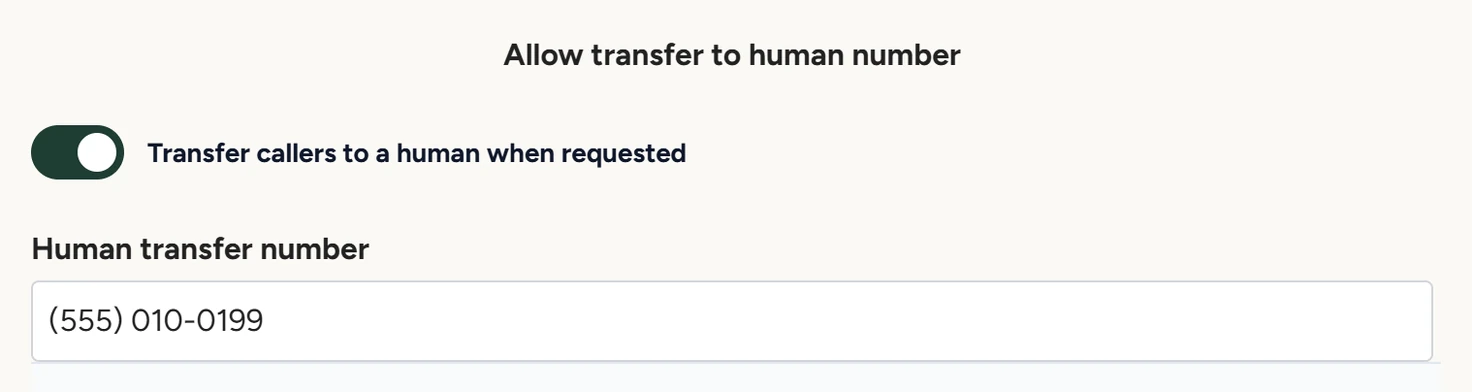
Voice Agent › Settings, October 2026 - Save and test
Click Save. From a phone other than the transfer phone, call your voice agent's number and ask for a person. The transfer phone rings.
How a transfer works
| Moment | What happens |
|---|---|
| The caller asks for a person | Asking for a human, a person, staff, the receptionist, the owner or a manager counts. The voice agent acknowledges and transfers the call. The request overrides your written rules, including a rule against transferring routine calls. |
| Your phone rings | For up to 30 seconds. The caller ID shows your voice agent's number. The caller hears ringing. |
| You answer | You and the caller talk. The voice agent leaves the call. |
| Nobody answers in 30 seconds | The line drops and the call ends. |
| After the call | The transcript in Conversations ends with "*Call transferred to a human at this number:" and the number. The summary email still goes out. |
The voice agent transfers when the caller asks for a person. Don't rely on a rule in Goals and System Rules to transfer calls without a request.
For callers who want to book, switch on Allow voice agent to send consultation link. The voice agent can then offer to text them your booking link, as Greeting and call rules describes.
Settings
Transfer callers to a human when requested
Off by default. Turn it on to let the voice agent put callers through. The same setting applies to AI calls your workflows place.
Human transfer number
The one phone that rings. Use a number other than your voice agent's number and the caller's phone: a transfer to either is refused. The voice agent never says this number aloud.
If something goes wrong
| What you see | Why | What to do |
|---|---|---|
| Human transfer number is greyed out | The switch is off. | Turn on Transfer callers to a human when requested. |
| A test call wasn't transferred | The transfer number is your voice agent's number or the phone you called from, or the change wasn't saved. | Set another phone as the transfer number, click Save, and test from a different phone. |
| The caller heard ringing, then the line dropped | Nobody answered within 30 seconds. | Keep the transfer phone where someone can pick up, or switch transfers off when nobody can. |