
Call transcripts and summaries
Read the transcript and summary of each call the AI receptionist takes, in Conversations and your email, with a recording link when recording is on.
What this does
When a call ends, Small Business Chatbot writes a summary of what the caller needs, saves it with the full transcript in Conversations, and emails both to you. This covers calls the AI receptionist answers and AI calls your workflows place. With recording on, the email also links to the recording.
Read a call in Conversations
- Open Conversations
In the app, open Conversations. The newest conversations are at the top. A call the voice agent answered carries a phone icon and the label Phone call. An AI call from a workflow carries Outbound call. Each card shows the caller's name, Phone, Email and the start of the Summary.
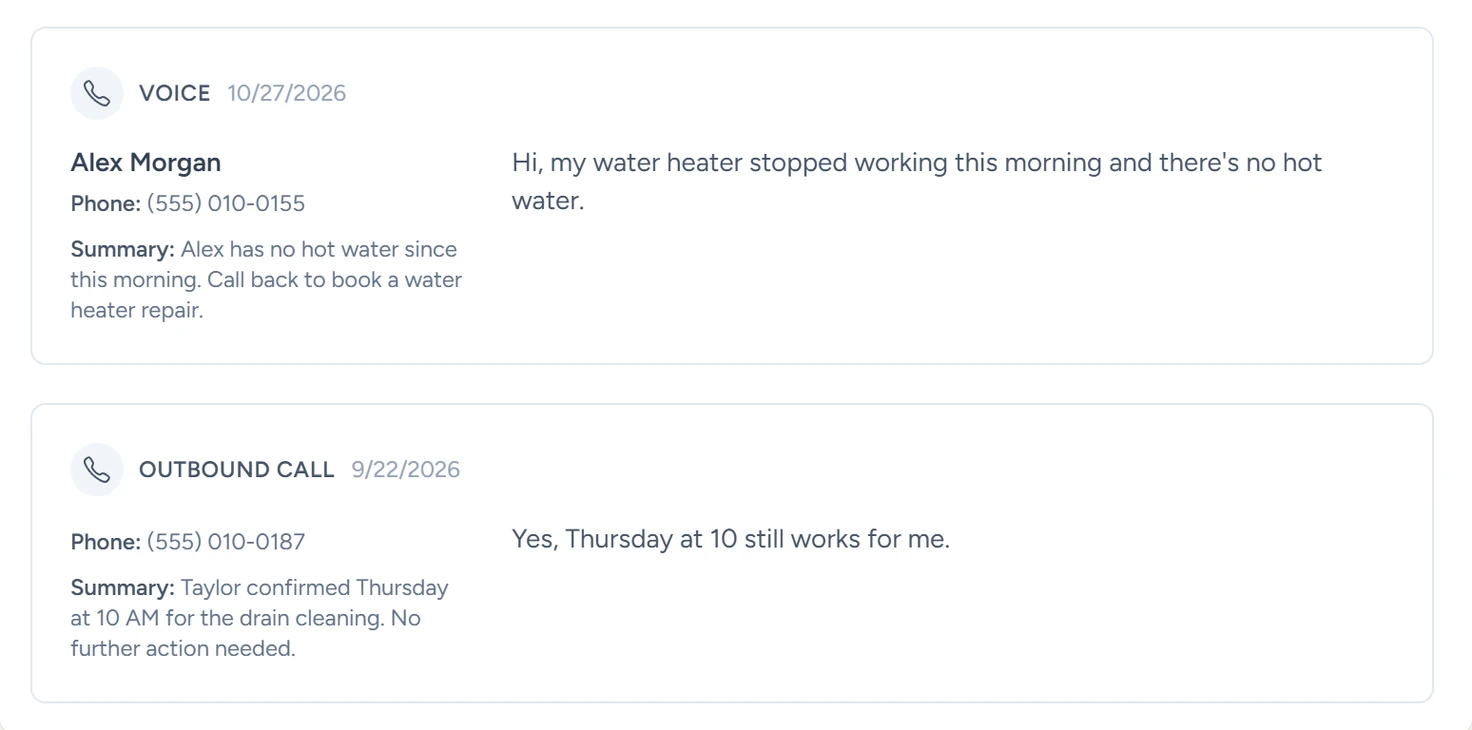
Conversations, October 2026 - Open a call
Click the card. The call opens beside the list with Phone, Email, Summary, Attachments and Full conversation.
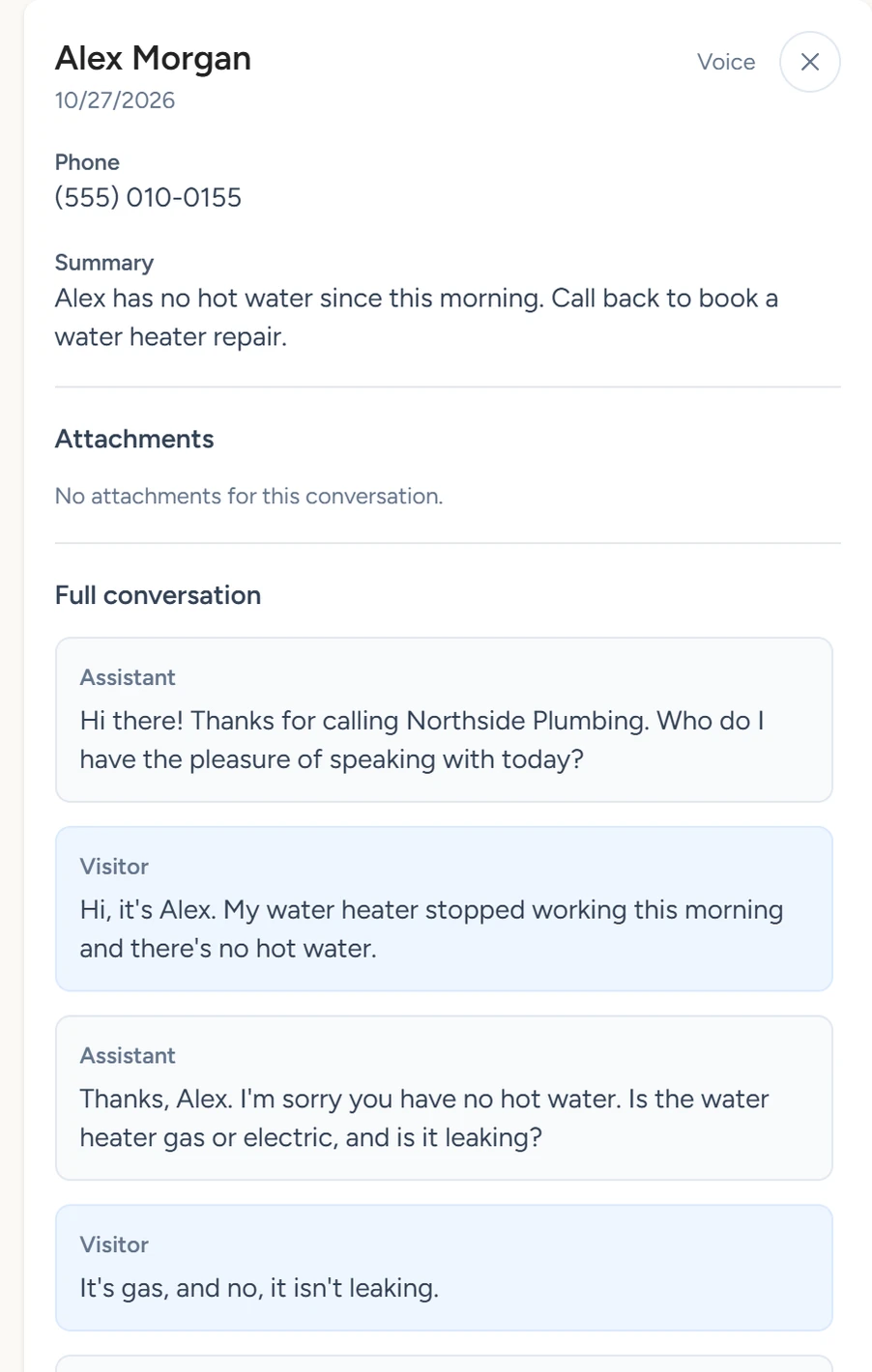
Conversations, October 2026 - Read the transcript
Under Full conversation, the caller's lines are labelled Visitor and the voice agent's lines Assistant. After a transfer, the transcript covers the voice agent's part and ends with "*Call transferred to a human at this number:" and the number.
Conversations lists calls with at least two lines of transcript. A call that ends during the greeting reaches you by email.
What the summary holds
| Field | What it is |
|---|---|
| Name | The first name the caller gave, if any. |
| Phone | The caller ID, unless the caller gave a clearly different number during the call. |
| The email address the caller gave, if any. | |
| Summary | What you need to do next, written to you. |
By default, the caller is also saved to CRM › Contacts, matched by phone number, and the call appears on their timeline as Voice call.
The summary email
After each call, the app emails the address under Admin › Primary Email for Conversations and every address under Additional Emails, as Summary emails describes. The email has three parts: Action Items, Contact Details (First Name, Phone, Email) and Conversation, the full transcript.
| Call | Email subject |
|---|---|
| A call to your voice agent's number | New caller transcript with action items |
| An AI call from a workflow | Outbound Call AI Transcription |
A call flagged as spam, and a workflow AI call that reached voicemail, skip the email.
Recording
- Switch recording on
In the app, open Voice Agent › Settings and turn on Allow voice agent to record calls. It is off by default.

Voice Agent › Settings, October 2026 - Save
Click Save. From the next call, people who ring your number hear "This call may be recorded for quality or training purposes." before the greeting.
- Listen
Summary emails now start with Recording: and a Listen link, except for transferred calls.
Recordings open from the Listen link in the summary email.