
Manage your plan
Subscribe, move between Self Serve and Managed, or switch between monthly and annual billing from the Manage Plan page.
What this does
Manage Plan opens a page outside the app's panels where you subscribe or change your plan. Small Business Chatbot bills both plans through Stripe Checkout. Paying unlocks the Voice Agent, CRM, Workflows and Zapier panels as soon as Stripe confirms the payment.
| Plan | Monthly | Annually |
|---|---|---|
| Self Serve | $99 a month | $79 a month, billed once a year |
| Managed | $249 a month | $200 a month, billed once a year |
Subscribe or change plan
- Open Manage Plan
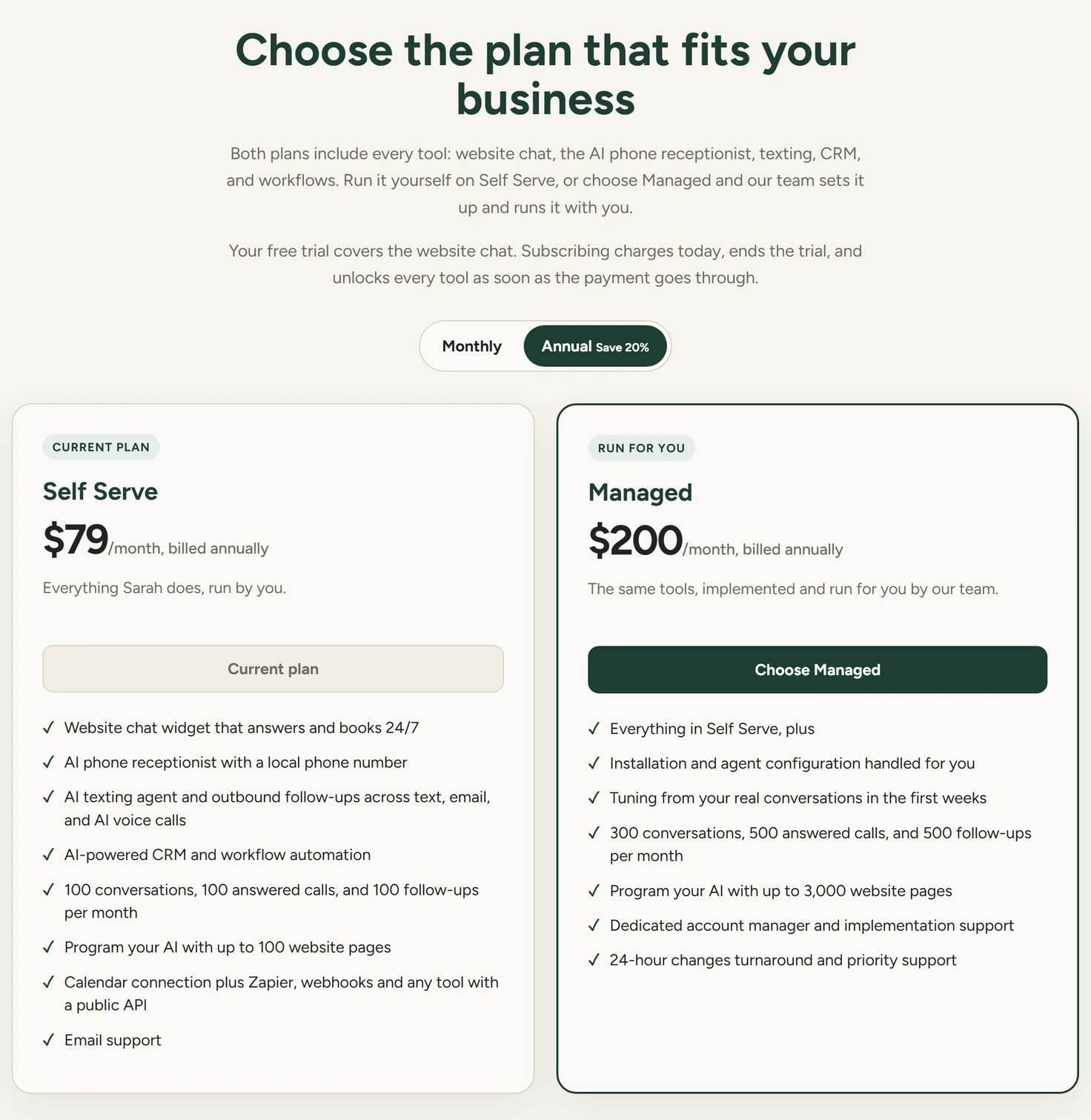
In the app, click Manage Plan at the bottom of the sidebar, above Admin. The page is headed Choose the plan that fits your business.
Manage Plan, October 2026 - Pick the billing period
At the top of the page, click Monthly or Annual. The page opens on Annual, which shows Save 20%. Both plan cards change their price to match.
- Choose a plan
On a plan card, click Choose Self Serve or Choose Managed. The button for the plan and period you already pay for reads Current plan.
- Pay in Stripe Checkout
Stripe Checkout opens on Stripe's own page. Enter your card there. Checkout accepts promotion codes and charges the same day.
- Return to the app
After the payment, Stripe sends you back to the app. The paid panels open without a lock.
Choosing a different plan or billing period starts a new subscription in Checkout. Once the new one is paid, the app cancels the old one.
Settings
Back to the platform
The link under the logo, and the × in the top corner, take you back to the app without changing anything.
Monthly and Annual
The billing period for both plan cards. Annual prices are shown per month and billed once a year.
Choose Self Serve
Every tool, run by you. The website pages limit is 100.
Choose Managed
The same tools, with our team's setup and support. The website pages limit is 3,000. Plans lists what Managed adds.
Talk to us about a Custom build
Opens our booking page for a call about a Custom build.
Cancel, invoices and your card
To cancel, ask our team, as Cancel and number release explains. For an invoice or the card on file, ask through Support.
If something goes wrong
| What you see | Why | What to do |
|---|---|---|
| A red message under the plan cards | Checkout couldn't be started. The message says why. | Click the plan's button again. If it repeats, ask through Support. |
| The page is headed Your trial has ended | The trial is over or the subscription has ended, and there's no paid plan. | Choose a plan to open the app again. |
| A panel is still locked after paying | Stripe hasn't confirmed the payment yet. | Reload the app. If the lock stays, ask through Support. |