
Goals, principles and ideal steps
Tell the AI chatbot what to aim for, the rules it follows and the usual order of a conversation, in plain words.
What this does
Three plain-text fields in Small Business Chatbot tell the AI chatbot how to behave in website chats and in its replies to text messages. Goals says what it should achieve. Principles holds its personality and the rules it follows. Ideal Steps to Take sets the usual order of a conversation. The fields sit in the Look and Feel panel.
Write the instructions
- Open the fields
In the app, open Chat Widget › Look and Feel. After Allow Lead Grading in the Summary?, the panel shows the Change the personality of… heading (it shows your assistant's name) and the three fields.
Chat Widget › Look and Feel, October 2026 - Start from a suggestion
Above an empty field, buttons fill in starter text: Collect Leads or Customer Service for Goals, Warm & Friendly or Keep it Short for Principles, and General Steps for Ideal Steps to Take. Edit the text to fit your business.

Chat Widget › Look and Feel, October 2026 - Write your own words
In each field, write short, literal instructions, one per line.
- Save
At the bottom of the panel, click Save. The app shows Look and Feel settings saved!
- Test it
In Playground, start a chat that should follow your new rule.
Settings
Goals
What the chatbot should achieve in each conversation. The field's tooltip says: "Define the primary objectives for the assistant: what should it accomplish during the conversation?"
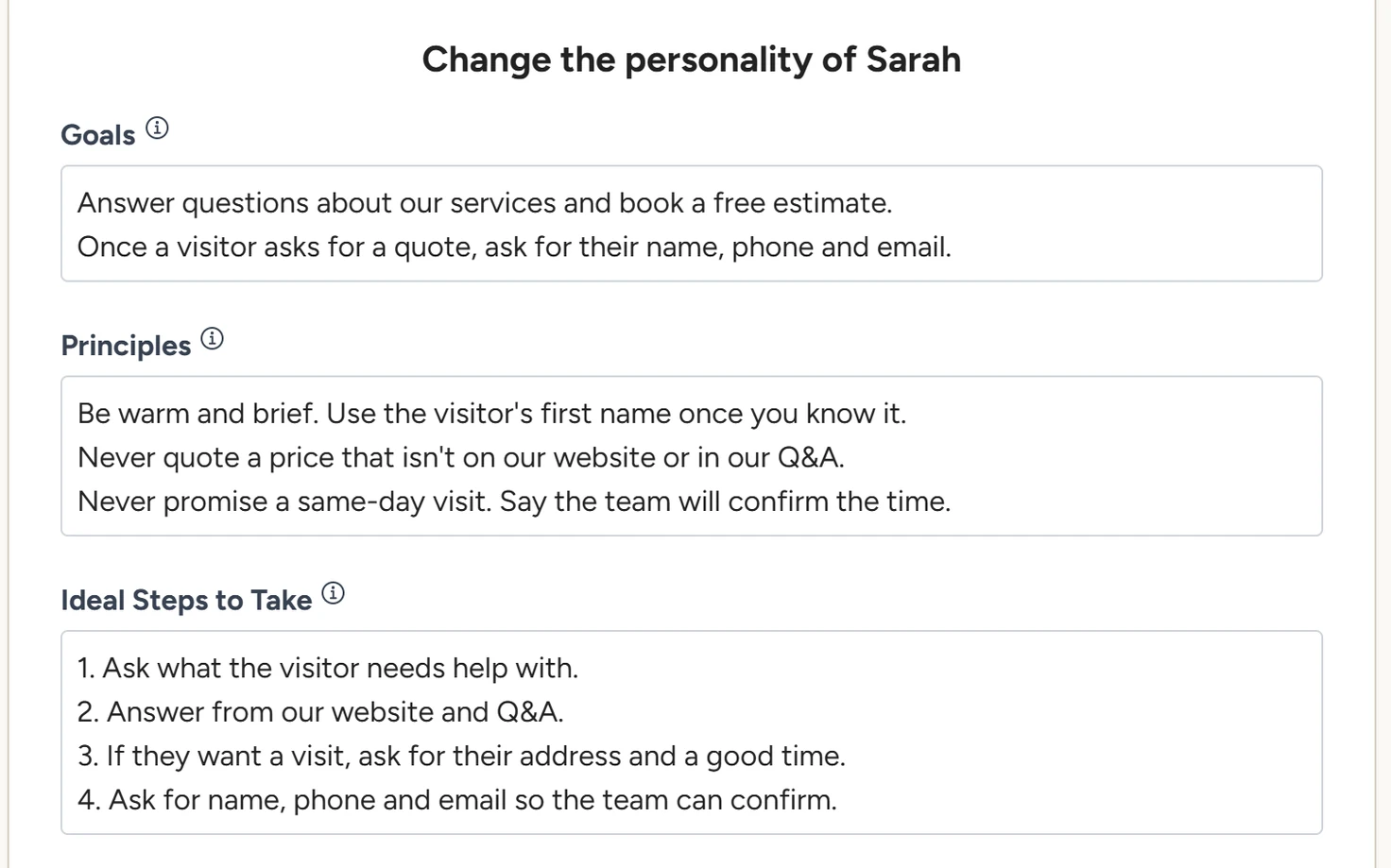
Answer questions about our services and book a free estimate.
Once a visitor asks for a quote, ask for their name, phone and email.
Principles
The chatbot's personality and the rules it follows. Put anything it must never do here.
Be warm and brief. Use the visitor's first name once you know it.
Never quote a price that isn't on our website or in our Q&A.
Never promise a same-day visit. Say the team will confirm the time.
Ideal Steps to Take
The usual order of a conversation, as numbered steps.
1. Ask what the visitor needs help with.
2. Answer from our website and Q&A.
3. If they want a visit, ask for their address and a good time.
4. Ask for name, phone and email so the team can confirm.
Tips
- Use these fields for how the chatbot behaves. Facts such as prices, hours and policies go in Q&A, where it looks them up for each question.
- Change one thing at a time and test it in the Playground before the next change.
- Instructions guide the chatbot's replies, so test every rule that matters before your widget goes live.
- The chatbot is told to keep these instructions private and never show them to visitors.
Phone calls
On phone calls, the AI receptionist follows its own fields: Goals and System Rules, Personality and Call Flow under Voice Agent › Settings. Greeting and call rules explains them.