
AI actions
Turn on Website Research so the AI chatbot can look up a missing detail on your own website during a chat.
What this does
In Small Business Chatbot, AI actions are things the AI chatbot can do during a chat besides answering from what it has learned. The AI Actions panel, headed Connected Tools, starts with Website Research. With it on, the chatbot can search your own website for a product or page detail missing from its saved pages and Q&A, and use what it finds in its reply.
The chatbot has two actions in chat: Website Research and booking in your calendar. Booking is turned on in Calendar booking.
- Where
- AI Actions, in the lower part of the app's sidebar
- Default
- Off
Turn on Website Research
- Open the panel
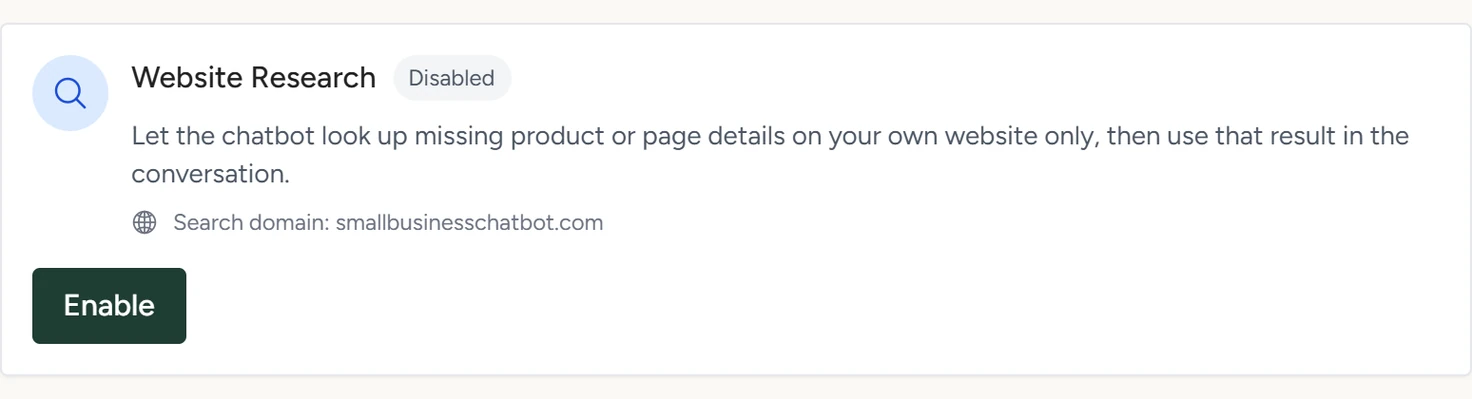
In the app, open AI Actions. The Website Research card shows Disabled and, after Search domain:, the website it will search.
AI Actions, October 2026 - Enable it
On the Website Research card, click Enable. The card shows Enabled and the button changes to Disable.
- Test it
In Playground, ask about a specific product or page missing from your Q&A. The chatbot looks it up and can link to the page it found.
How Website Research works
- It searches only the domain shown after Search domain:, the website saved on your account.
- The chatbot uses it when its saved pages and Q&A leave a question about your business unanswered.
- It links only to pages the search found on your domain.
- It works in website chats and in replies to text messages.
- What it finds is used for that reply. To add a page to what the chatbot has learned, add it in Website.
- To turn it off, click Disable.
If something goes wrong
| What you see | Why | What to do |
|---|---|---|
| Enable is greyed out and Search domain: reads Not configured yet | No website is saved on your account. | Ask us to add it through Support in the app. |
| We could not update the website research setting. | The change didn't save. | Click the refresh icon beside Connected Tools and try again. |
| We could not load the website research setting. | The panel couldn't read the setting. | Click the refresh icon beside Connected Tools. |