
Cancel and number release
Cancel your subscription, and know what happens to your phone number when a subscription ends or a payment is disputed.
What this does
Self Serve can be cancelled any time. To cancel Small Business Chatbot, ask our team. When a subscription ends, the app releases the account's phone number and locks the paid tools.
Releasing a number is permanent. Calls and texts to it stop reaching the AI receptionist.
Cancel your subscription
- Turn off call forwarding
At your phone carrier, turn off forwarding to your Small Business Chatbot number if your business line uses it. Do this first.
- Export what you want to keep
In the app, open CRM › Contacts and click the Settings tab. Under Export CRM data, click Export data. The CRM locks when the subscription ends. Export and duplicates covers the export.
- Ask us to cancel
In the app, open Support and ask to cancel. You can also use the form on our contact page. Include your website address so we find the right account.
- Remove the widget from your site
Delete the installation code from your website if you want the launcher gone.
- Check the result
When the subscription ends, the app opens the plan page instead of your panels. Its heading reads Your trial has ended. Manage your plan shows how to subscribe again.
What happens when a subscription ends
| Part | What happens |
|---|---|
| Phone number | Released. Calls and texts to it stop reaching the app. |
| Voice Agent settings | Kept, without a number. |
| Chat widget on your site | Stays on the page. The chatbot replies "We're not able to chat right now. Please check back later." |
| The app | Opens the plan page instead of your panels. Choose a plan there to open it again. |
| Voice Agent, CRM, Workflows, Zapier | Locked. |
How a number is released
The app removes the number from our phone account and from your voice settings. Calls and texts to it stop reaching the app. Every other voice setting is kept, so a new subscription can pick a new number under Voice Agent › Settings, as Phone number and voice shows. This happens in three cases:
- The subscription is cancelled and ends.
- A payment is disputed.
- You release the number yourself.
If a payment is disputed
If you dispute a charge with your card company, the app acts at once. It cancels the subscription, locks every tool including the website chat, and releases your phone numbers. The account stays locked until our team settles the dispute by hand.
Release a number yourself
- Open the voice settings
In the app, open Voice Agent › Settings. The card at the top is headed This is your voice agent's number.
- Release it
Click the × in the card's top corner. The browser asks Permanently delete this number?
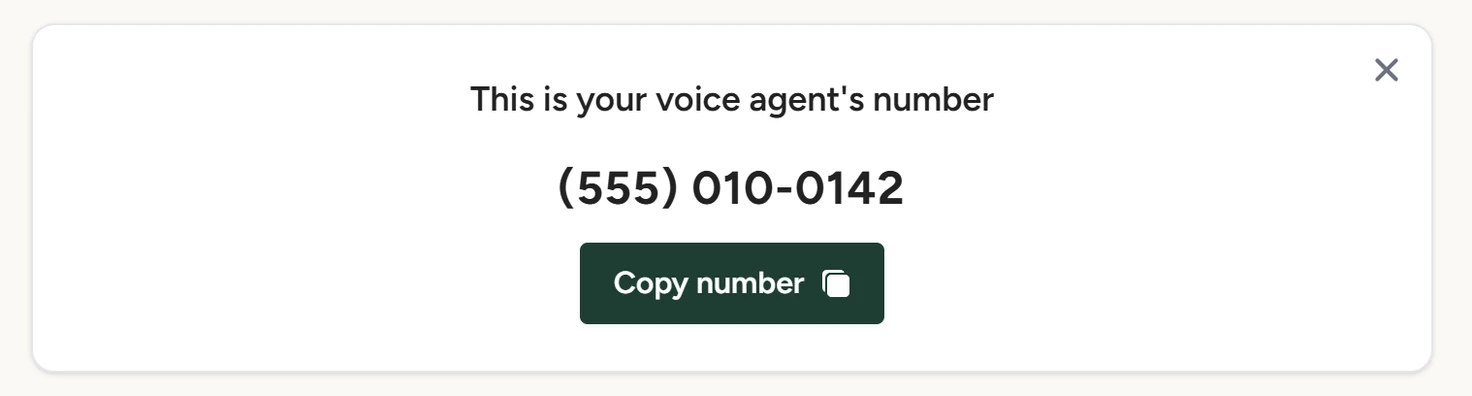
Voice Agent › Settings, October 2026 - Confirm
Click OK. The panel shows Get Started again, ready for a new number.