
Conversations
Read every chat, call and text your AI receptionist handled, with its summary, lead score, contact details, photos and spam flags.
What this does
Conversations lists every website chat, phone call and text conversation Small Business Chatbot handled, newest first. Each one keeps the visitor's details, the AI summary, a lead score when lead grading is on, any photos the visitor sent, and the full transcript. A conversation shows once it has two or more messages. Calls flagged as spam always show.
Read a conversation
- Open the list
In the app, open Conversations. Each card shows the type, the date, the visitor's name, Phone, Email, the start of the Summary, the Lead Score and the last two messages.
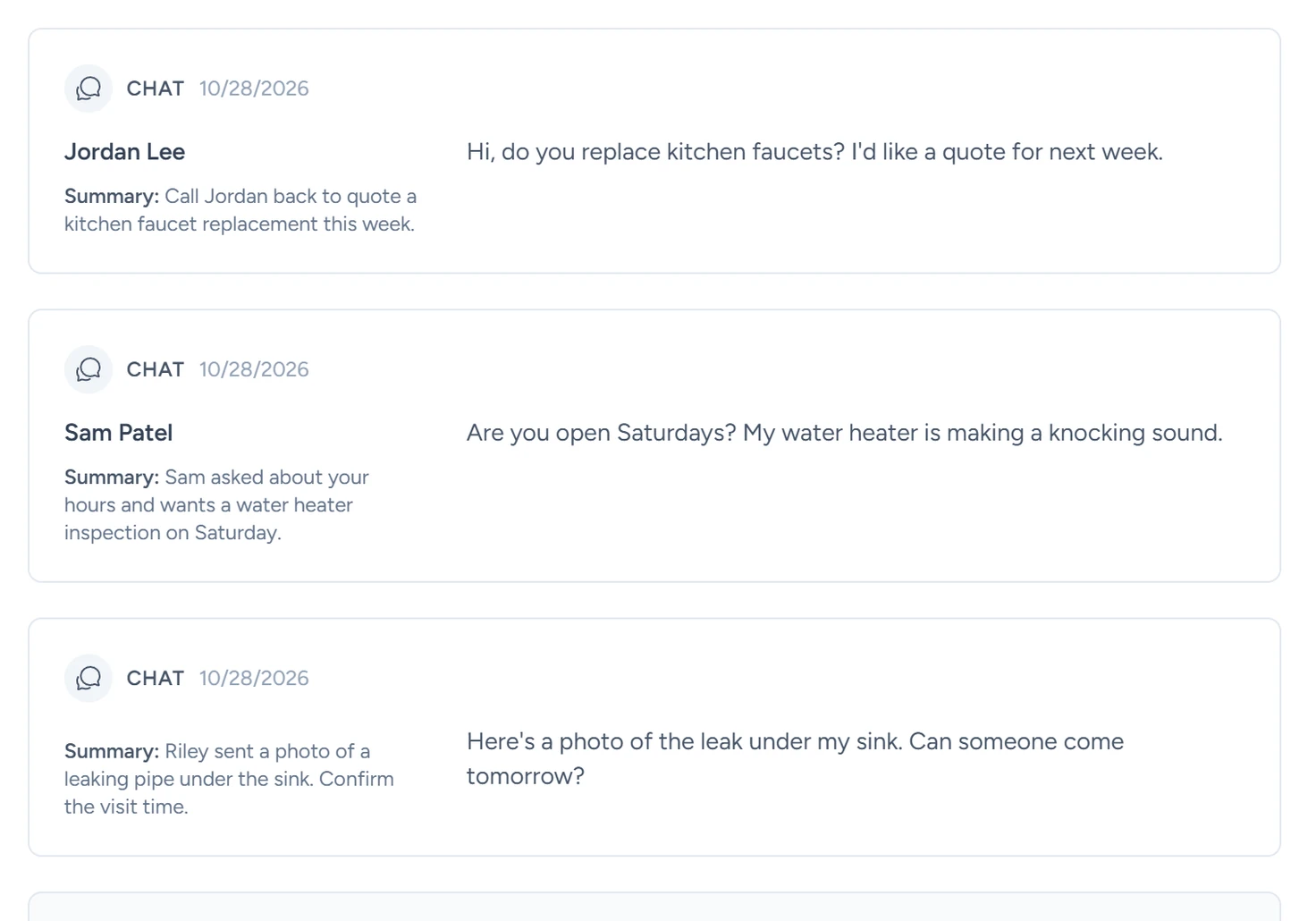
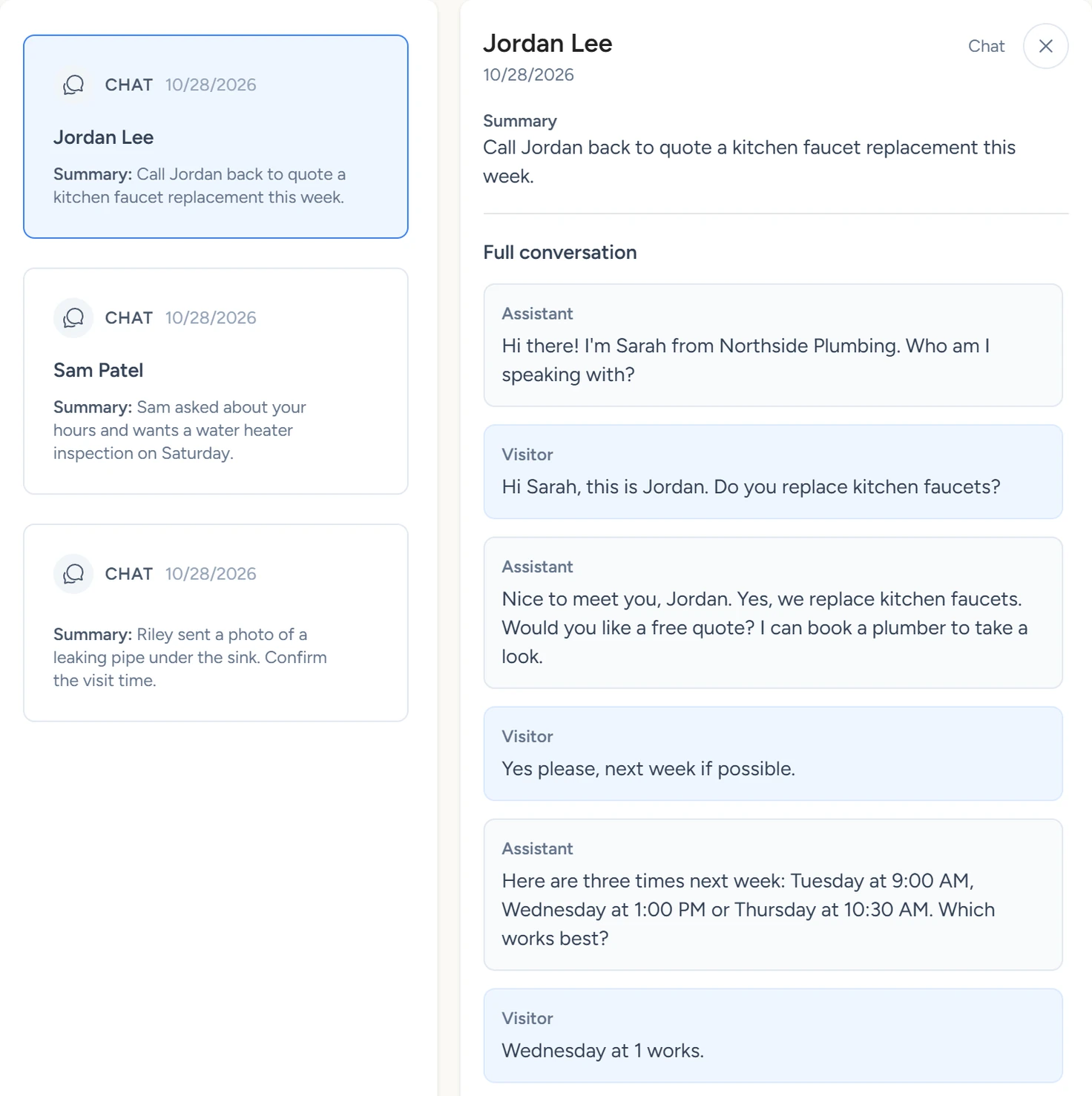
Conversations, October 2026 - Open one conversation
Click a card. It opens beside the list with Phone, Email, Summary, Lead Score, Visitor history, Attachments and Full conversation. In the transcript, the visitor's or caller's lines are labelled Visitor and the AI's lines are labelled Assistant.
Conversations, October 2026 - Open a photo
Under Attachments, click a file name. The photo opens over the conversation, with Open in new tab under it. No attachments for this conversation. means the visitor sent none.
- Close the conversation
Click the close button (×) at the top right. The list fills the panel again.
What each type means
| Label | What it is |
|---|---|
| Chat | A conversation in the chat widget on your website. |
| Phone call | A call the AI receptionist answered on your number. |
| Outbound call | An AI call a workflow made. |
| Text | A text conversation with your business number. It ends after five minutes with no new message. |
| Email reply | A reply to an email a workflow sent. |
| Embedded chat | A conversation in the embedded widget from Chat Widget › Playground › Embedded widget. |
Returning visitors
When a visitor comes back to your website chat in the same browser within 30 days of their last chat, their conversations are grouped under Returning visitor. The group shows their name, how many conversations they had, and when they were first and last seen. Inside a conversation, Visitor history shows one of these lines.
| Line | What it means |
|---|---|
| Returning visitor. This is conversation #2 with this person. | Same browser as an earlier chat. The number counts up. |
| Contact details match an earlier visitor (unverified match). | Another browser gave the same email or phone. It may be a different person. |
| Contact details were carried over from an earlier conversation. | The name, phone or email came from an earlier chat in the same browser, not from this one. |
Lead Score
Lead Score is a grade from A to D on a chat or text conversation. It appears when Allow Lead Grading in the Summary? is set to Yes under Chat Widget › Look and Feel and the visitor gave a phone number or email. By default the AI grades on the intent of the conversation and how strong the contact details look. You can rewrite that rule in Lead grading system message programming in the same panel.
Spam and NSFW flags
A call that matches your spam keywords carries a Spam label in the list. Inside it, a box reads Spam · Call-summary email skipped and lists the Matched caller keywords. The call was still answered and the conversation is kept. Only its summary email was skipped. The keywords are set in Spam protection.
When Allow photo uploads? is set to Yes under Chat Widget › Look and Feel, visitors can send photos in the chat. Each photo is checked by an image filter. A flagged photo carries an NSFW label under Attachments and opens blurred under NSFW detected. Click Click to unblur to see it.
If something goes wrong
| What you see | Why | What to do |
|---|---|---|
| No Conversations item in the sidebar, or Conversation history is not available for this account. | Conversations shows only to the account's own login. An agency login viewing a client's workspace doesn't see it. | Sign in with the account's own login. |
| No conversations available yet. | No chat, call or text has two messages yet. | Send a test chat from your website, then reload the panel. |
| Unable to load conversation history right now. | The list didn't load. | Reload the page. |
| Unable to load attachment. | The photo's link couldn't be created. | Close the photo and click its name again. |