
How texting works
What sends a text from your business number, how the texting agent replies to the texts people send it, and where each text shows up.
What this does
Texting uses the number you picked in Voice Agent › Settings, your business number in Small Business Chatbot. Three things send a text to a customer from it: the texting agent's reply to a text, a workflow's text step, and the booking link the AI receptionist offers during a call.
Before you start
- A business number, from Phone number and voice.
What sends a text
| Text | When it is sent | Where you see it after |
|---|---|---|
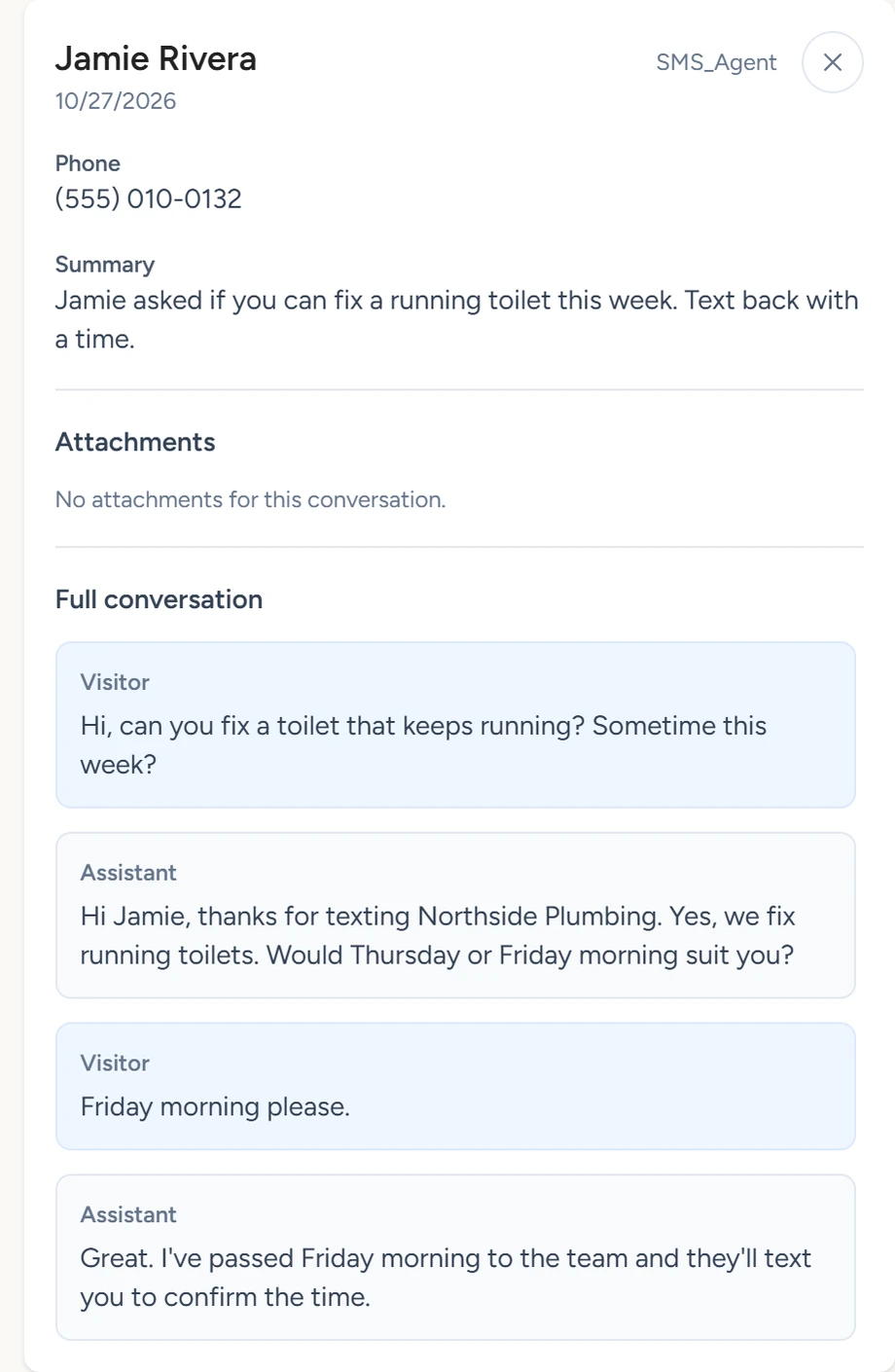
| The texting agent's reply | Someone texts your number and Allow texting agent to reply to inbound texts is on. | Conversations, labelled Text, once the conversation ends. Also a summary email and the contact's timeline. |
| A workflow text | A published workflow reaches a Send Text step, and outbound texts are switched on. | The contact's timeline as SMS sent, and the workflow's run history. |
| The booking link | On a call, the voice agent offers to text the Consultation Link and the caller agrees. Allow voice agent to send consultation link must be on. | The call's transcript in Conversations holds what was said about it. |
Admin › Get text notifications texts you a short summary after each website chat, from the app's own number. Calls and texts reach you by summary email.
Turn on text replies
- Open the panel
In the app, open Voice Agent › Settings.
- Switch replies on
Turn on Allow texting agent to reply to inbound texts, then click Save. It is off by default.

Voice Agent › Settings, October 2026 - Send a test text
From your own phone, text a question to your business number. The texting agent replies from that number.
With the switch off, texts to your number still reach you in a summary email once the conversation ends.
How the texting agent answers
- It answers from the same website pages and Q&A as the chat widget, and follows the chat widget's Goals, Principles and Ideal Steps to Take from Goals, principles and ideal steps.
- It sees earlier texts with that phone number, including texts your workflows sent it, so a reply to a follow-up keeps its context.
- With a calendar connected under Chat Widget › Calendar Booking, it can text the booking link. For an upcoming appointment booked with that phone number, it can text its reschedule or cancel link.
- A text conversation ends 5 minutes after the customer's last text, or when their whole text is "bye" or "goodbye". The app then saves it to Conversations, emails you the summary, adds the texter to CRM › Contacts (on by default) and starts workflows that use Inbound text conversation ended.
Workflow texts
A Send Text step sends from your business number. It runs only after you switch outbound texts on under CRM › Contacts › Settings › Outbound automation, and opt-outs and the daily limit apply to it. The texting agent's replies and the booking-link text work without that switch. Outbound switches and limits covers the switches.