
AI voice call
The AI voice call step's fields, what the AI receptionist does on the call and after it, and the checks before it dials.
What this does
When a run reaches AI voice call, the AI receptionist in Small Business Chatbot calls the number in Recipient phone from your business phone number. It follows the opening line, goals, personality and call flow you write in the step. The step finishes as soon as the call starts, so the next step runs while the call is still going.
- Where
- Workflows › a step's Node settings › Node type: AI voice call
- Needs
- Outbound automation and Voice calls on, and a business phone number
- Counts toward
- the daily limit for calls
Fields
| Field | What it does | Default or options |
|---|---|---|
| Recipient phone | The number to call. Type it or insert a variable such as {{trigger.phone}}. |
Empty. In a workflow that starts with an appointment trigger: {{trigger.contact.phone}} |
| Opening line | What the AI says first when a person answers. | Blank uses the Greeting under Voice Agent › Settings |
| Goals and system rules | What the call is for and the rules the AI follows on it. | Blank uses Goals and System Rules under Voice Agent › Settings |
| Personality | How the AI sounds on this call. | Blank uses Personality under Voice Agent › Settings |
| Call flow | The order of the call, in plain words. | Blank uses Call Flow under Voice Agent › Settings |
| Voice URL override (optional) | Leave it blank. The app's own voice service places the call. | Empty |
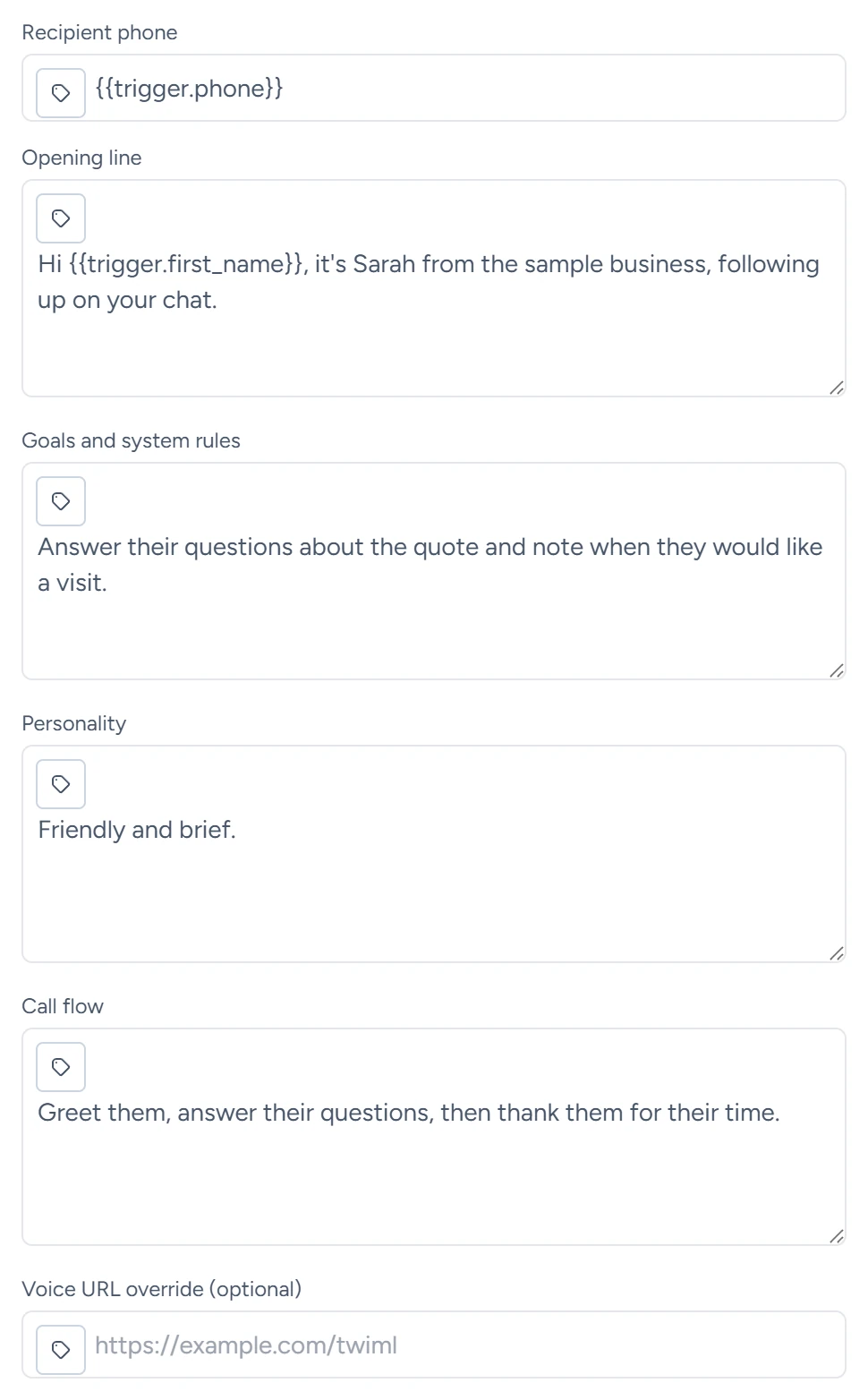
Variables work in every field, so Opening line can use the person's name, for example Hi {{trigger.first_name}}. The rules are on Variables.
On the call and after it
- Before the AI speaks, the call checks whether a person or a voicemail answered. On voicemail it hangs up.
- On an answered call, the AI has the same phone tools as on the calls it answers for you: the booking-link text, the transfer to your number and the website lookup, each when it is switched on under Voice Agent › Settings.
- It answers from your Q&A. With Let the voice agent look up answers from your website pages on, when asked something outside the Q&A, it says a short line such as "Let me check that for you." and searches the pages added under Chat Widget › Website.
- With Allow voice agent to send consultation link on, it offers to text the person your booking link. A booking made from that link lands in your connected calendar.
- After an answered call, you get the summary and transcript by email, as for any call. The recording comes with it when call recording is on.
- The call is logged on the matching CRM contact's timeline as Voice call started.
- Each step places one call. If a call from your account to the same number is already in progress, no second call is placed, and the step finishes with
call_statusalready_active.
Before it dials
The step runs these checks in this order. The first one that fails stops the step, and no call is placed.
| Check | When it fails |
|---|---|
| Recipient phone | It is empty. |
| Outbound automation and Voice calls | Either switch is off under CRM › Contacts › Settings. |
| Opt-outs | Any CRM contact with this number has Do not call or Do not contact (all channels) checked. |
| Daily limit for calls | The calls placed or started by all your workflows in the last 24 hours have reached your limit. |
A published workflow with calls switched on calls real people. Put your own number in Recipient phone to test.
What it saves
Later steps read these with the step's Node name, for example {{node_outputs_by_name.ai_voice_call.call_status}}.
| Output | What it holds |
|---|---|
status |
success once the call is started |
to |
The number called, with its country code |
call_sid |
The call's ID at Twilio |
call_status |
The call's state when the step finished, such as initiated |
greeting_preview |
The start of the opening line |
summary |
A line such as "Voice-agent service started a call to +15555550100." |
The outputs describe the call as it starts. Its outcome and transcript arrive in the summary email after the call.