
If
The If step's fields, how each operator compares values, how the right side is read, and how the run picks its TRUE or FALSE branch.
What this does
If compares a left side with a right side and sends the run down one of two branches. On the canvas in Small Business Chatbot, the TRUE branch leaves the bottom of the step and the FALSE branch leaves its right side. Only the matching branch runs.
- Where
- Workflows › a step's Node settings › Node type: If
- Needs
- nothing
Fields
| Field | What it does | Default or options |
|---|---|---|
| Left side | The value to test, usually a variable such as {{trigger.email}} or {{node_outputs_by_name.some_node.value}}. |
Empty |
| Operator | How the two sides are compared. | Equals. Options: Equals, Not equal, Contains, Greater than, Less than |
| Right side | The value to compare with: plain text, a number, or another variable. | Empty |
The step holds one comparison. To test two things, put a second If on the branch of the first.
How the sides are read
Left side
- A field that is only one variable, such as
{{trigger.contact.tags}}, keeps the value's type: a number stays a number and a list stays a list. - A variable inside other text, such as
Order {{trigger.id}}, becomes text. - Text with no
{{ }}, such astrigger.email, is compared as that text. - A variable whose value is missing becomes empty text.
- An empty Left side sends the run down the TRUE branch.
Right side
| You type | It is compared as |
|---|---|
true or yes |
The value true |
false or no |
The value false |
A whole number, such as 5 |
The number 5 |
A number with a dot, such as 2.5 |
The number 2.5 |
A variable, such as {{trigger.phone}} |
That value |
| Anything else | Text |
Operators
| Operator | TRUE when |
|---|---|
| Equals | Both sides are the same value of the same type. Text matches only with the same capital letters, so Yes and yes are different. The text 5 and the number 5 are different values. |
| Not equal | Equals would be false. |
| Contains | The right side appears in the left side's text. With a list on the left, such as {{trigger.contact.tags}}, the list has that item. |
| Greater than | The left side is larger. Numbers compare as numbers and text compares in alphabetical order. |
| Less than | The left side is smaller, by the same rules. |
Greater than and Less than fail the step when one side is a number and the other is text. Contains fails the step when the right side is read as a number or true or false and the left side is text.
To test for an empty value, use Equals with an empty Right side.
Branching on an AI Agent answer
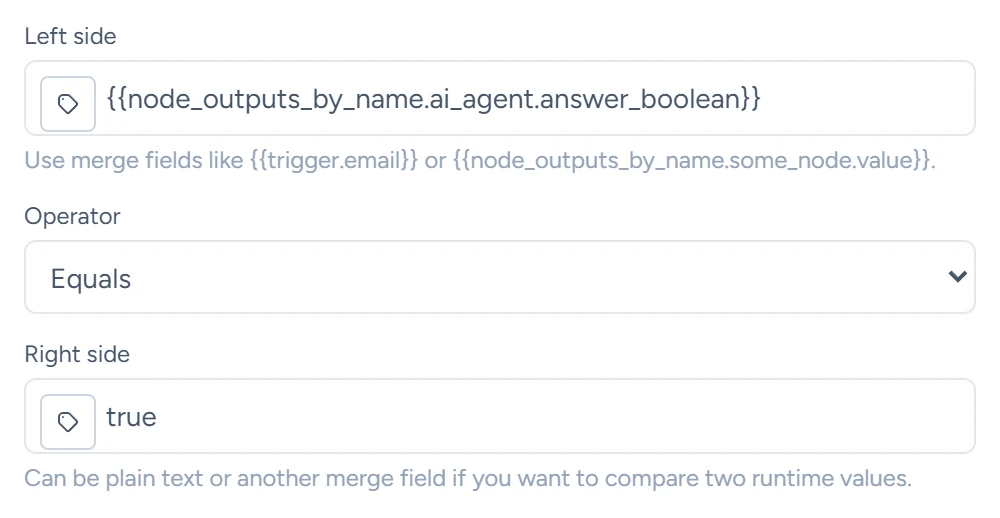
Because yes on the right side is read as the value true, branch on the AI Agent's answer_boolean output, which holds true or false:
| Field | Value |
|---|---|
| Left side | {{node_outputs_by_name.ai_agent.answer_boolean}} |
| Operator | Equals |
| Right side | true |
ai_agent is the alias of a step named AI Agent. AI Agent lists its outputs.
The branches
- When a branch has no step, the run ends there with the status Completed.
- Both branches can lead to more If steps.
- To end a run on purpose and mark it Removed, end the branch with Stop Current Workflow.
What it saves
| Output | What it holds |
|---|---|
matched |
true when the run took the TRUE branch, false otherwise |