The AI CRM for small businesses that manages itself.
Every chat, call, text, email, and appointment your AI agents handle lands in the CRM automatically. Your front desk runs on autopilot, and your pipeline stays current without anyone doing data entry.
Adding a tag here triggers any active workflows watching that value.
Delete ContactSave Contact
Activity
Calls, conversations, changes, notes, and tasks.
Appointment booked
Roof estimate · Thursday 2:00 PM
Synced by the AI voice agent
Voice call started
“Hi, is this Arthur?”
SMS sent
Thanks Arthur, here’s the link to book your roof estimate this week.
Opportunity moved
Roof replacement → Proposal
Opportunity created
Roof replacement · CA$8,400
✎ Note✓ Task
Write a note…
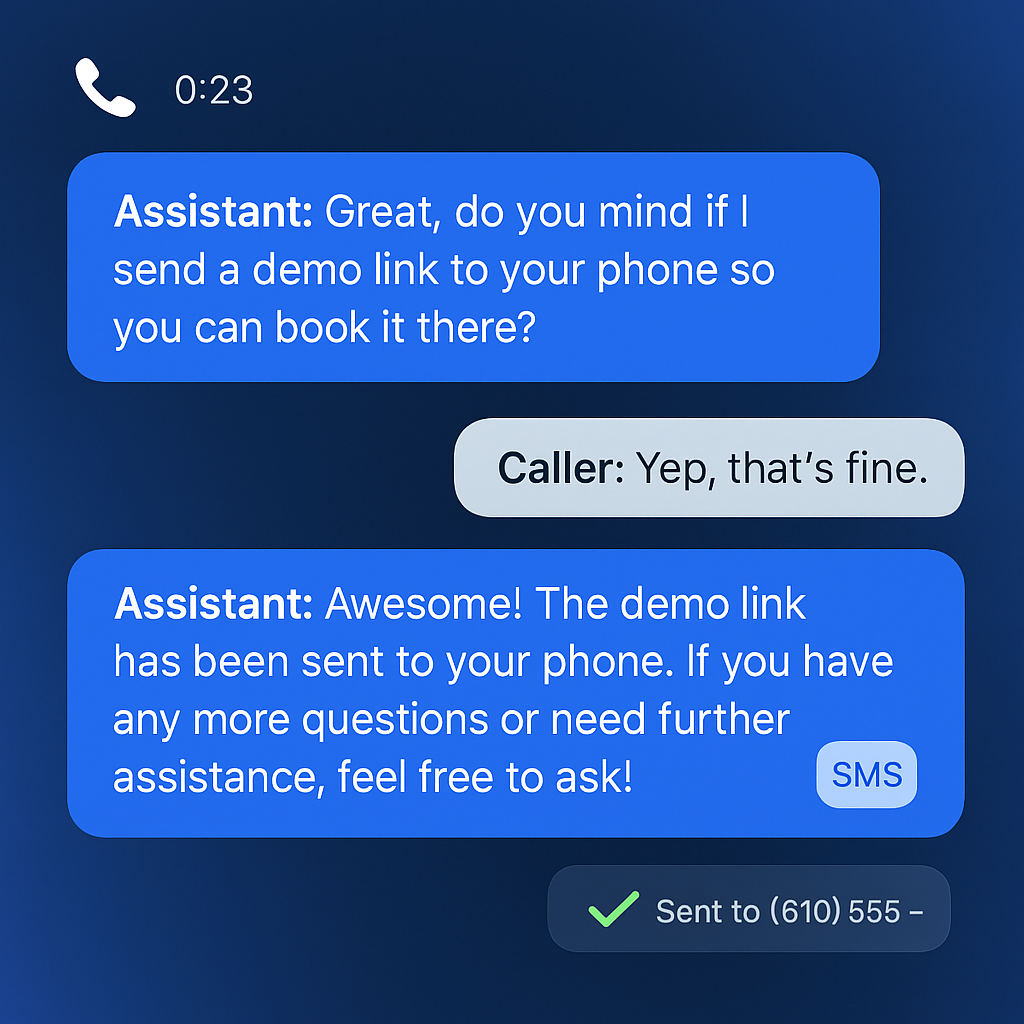
The AI voice agent called this lead, sent the booking text, booked the estimate, and updated the opportunity. Each entry logged itself.
Trusted by Small Businesses Across North America
A CRM that keeps itself up to date
Most CRMs fall behind because updating them is manual work. This one stays current because the AI agents doing the work also keep the records.
Run your front desk on autopilot
AI agents answer every inquiry, screen out the tire-kickers, and book the engaged buyers. Those buyers show up in your CRM already organized.
Chat, voice, text, and email agents respond instantly, 24/7
Engaged buyers become contacts and opportunities automatically
Appointments sync straight onto the record and the pipeline
Relationship management without the data entry
Every conversation, appointment, and outcome logs itself to the right contact, company, and deal. Following up well takes minutes instead of admin hours.
Calls, texts, and emails land on the activity timeline by themselves
Notes, tasks, and next steps live beside the full history
Open any record and know exactly where the relationship stands
All the CRM fundamentals, done properly
Everything you'd expect from a good small business CRM is here, and your team doesn't have to type it in.
Contacts & companies
Clean records with phone, email, business, tags, and consent, linked to the companies they belong to.
Pipelines & opportunities
Visual boards with customizable stages and win percentages, from new lead through won.
Activity timeline
Calls, conversations, changes, notes, and tasks on one timeline per contact, logged automatically.
Notes & tasks
Keep working notes and to-dos on any contact, company, or opportunity, right beside the history.
Guided CSV import
Bring your existing contact list in with drag-and-drop import, field mapping, and validation.
Clean, deduplicated data
Smart matching on phone and email keeps one record per person, with merge previews when duplicates slip in.
Appointments book themselves into your pipeline
When an AI agent books an estimate, the appointment, the contact, and the opportunity are already connected. Your board reflects reality without anyone dragging cards around.
CRM · Opportunities
Pipeline
Sales pipeline+ New pipeline
⇪ ImportNew opportunity
Appointment synced to CRMBooked by the AI voice agent · added to Roof inspection
Customizable stages with win percentages, and appointments synced onto the deal as soon as they're booked.
Bolstered by an AI layer built right in
Your AI agents and your CRM are one platform, so everything the agents do shows up in your records right away.
Every AI agent syncs perfectly
Chat, voice, text, email, and appointment agents write what they do straight into the CRM. New contacts, transcripts, bookings, and deal updates appear on the right record in real time.
Low-quality leads screened out automatically
AI screens intent and fit during every conversation, filters out low-quality inquiries, and organizes your pipeline around the highest-quality buyers. Your team's first call of the day is always the best lead.
AI-powered workflows on top of your data
A new contact, a new tag, a stage change, or a booked appointment can each start automated texts, emails, and AI voice calls. Delays, office-hour rules, and reply detection are built in.
Calendars, websites, phone numbers, field-service tools, and hundreds of other apps connect through native integrations, inbound webhooks, and outbound workflow actions.
A lead can come in by website chat, phone call, text, email, or form. An AI agent answers instantly, at any hour, and starts qualifying in the same conversation.
AI screens and books the good ones
Low-quality inquiries are filtered out automatically. Engaged buyers get booked into your calendar, and the appointment syncs to the CRM on its own.
The CRM manages the rest
Contacts, companies, opportunities, and timelines stay current by themselves, while workflows fire the right follow-up at the right moment.
Less admin, faster follow-up, better close rates
Real results from small businesses running their front office on the platform.
Noah Little · Owner, Noah's CS Coaching
★★★★★
"Since integrating their AI tools, we've observed a significant increase in the number of qualified leads closing across all accounts. The AI chatbot and CRM make it easy to see who is worth following up with immediately."
Zero
Manual data entry needed for AI-handled conversations, bookings, and deal updates
24/7
Every inbound lead answered, screened for quality, and organized in the CRM, even after hours
Frequently Asked Questions
Common questions about the AI CRM for small businesses.
Is this a full CRM?
Yes. You get contacts, companies, opportunities, visual pipelines with customizable stages, notes, tasks, and a unified activity timeline. It covers the fundamentals you'd expect from a good CRM and is built for small business teams.
How does data get into the CRM?
Mostly by itself. Our AI chat, voice, text, email, and appointment agents create and update contacts, log conversations, and record appointments automatically. You can also bring existing records in with guided CSV import or push data in through webhooks and integrations.
Can it screen out low-quality leads automatically?
Yes. AI agents screen every inbound lead as part of the conversation, filter out low-quality inquiries, and organize your pipeline around the highest-quality buyers so your team starts with the best opportunities.
Do appointments sync with the CRM?
Yes. When an AI agent (or your team) books an appointment, it lands on the contact's activity timeline and the related opportunity automatically. There is nothing to copy between your calendar and your CRM.
Can workflows react to CRM changes?
Yes. New contacts, tag changes, stage moves, and appointments can all trigger AI-powered workflows that send texts, emails, and AI voice calls, update records, and notify your team.
Does it integrate with my other systems?
Yes. The CRM connects to calendars, websites, phone lines, and hundreds of external tools through native integrations, inbound webhooks, and outbound workflow actions.
Put your front desk and your CRM on autopilot
See how engaged buyers get answered, screened, booked, and managed in the CRM while your team runs the business.





 Noah Little · Owner, Noah's CS Coaching