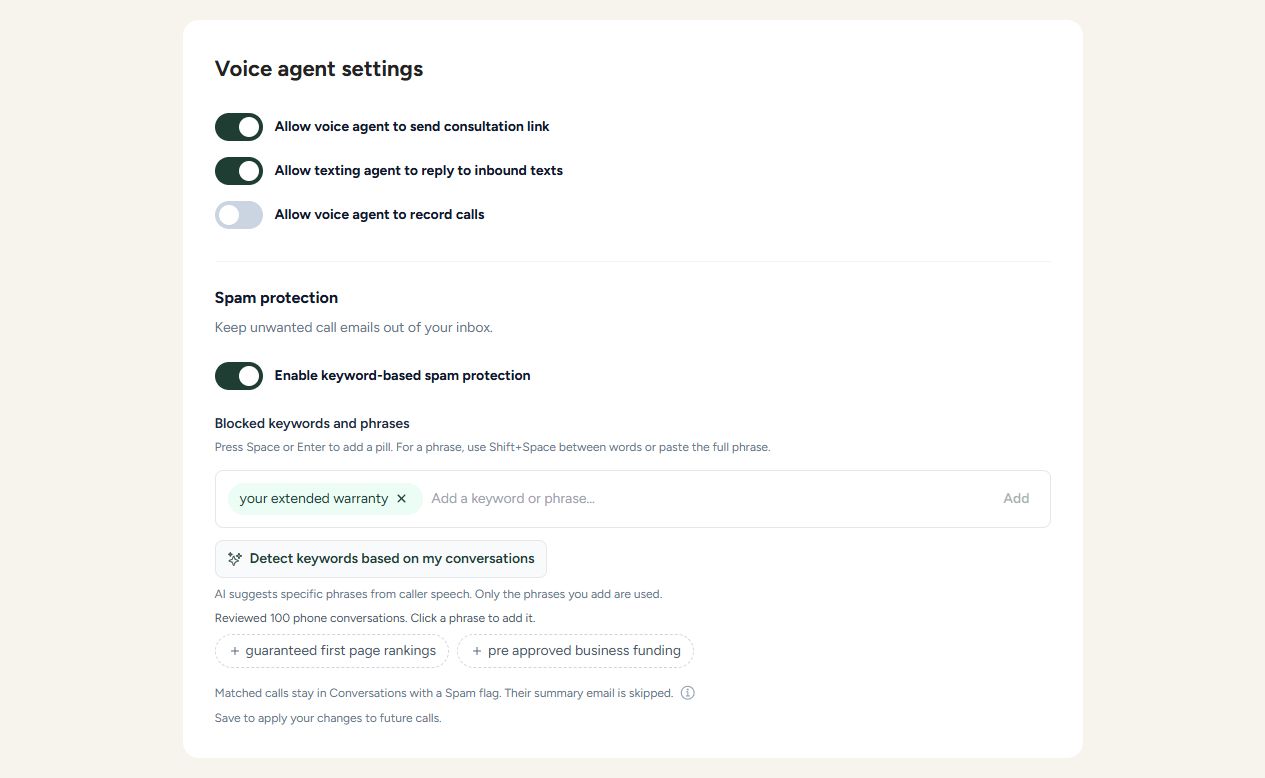
Keyword-Based Spam Protection for Voice AI
- Keep unwanted call-summary emails out of your inbox with the new Spam protection switch in voice settings, just below call recording.
- Add your own keywords or phrases, or click Detect keywords based on my conversations. AI reviews caller speech from your latest 100 phone conversations and suggests specific, longer phrases chosen to minimize false positives. Click a suggestion to add it; nothing is enabled automatically.
- When a caller says an exact saved keyword or phrase, the conversation is marked Spam, its summary email is skipped, and the reason is logged. The call continues normally and its transcript stays in Conversations.
- Matching ignores capitalization and extra spaces, checks whole words, and never checks the AI agent's replies. AI replies are also excluded when generating suggestions.
- Keywords appear as removable pills. Press Space or Enter to add one, use Shift+Space or paste to enter a longer phrase, and click the X to remove it. Save your settings to apply changes to future calls.